
In the modern digital marketplace, visibility is currency. Search Engine Optimization (SEO) is no longer a technical afterthought but a fundamental engine for business growth, directly responsible for driving traffic, promoting brands, and engaging customers.1 Achieving excellence in SEO requires moving beyond simple tricks and embracing a holistic strategy that prioritizes user experience. The path to the top of search results is paved with relevance, speed, and trust.
The guidelines that govern search performance are not arbitrary rules; they are an interconnected blueprint for digital excellence. They reflect a deep understanding of how search engines perceive value and, more importantly, how real users experience a website. Mastering these principles allows a business to build a powerful, sustainable presence that attracts and retains customers.
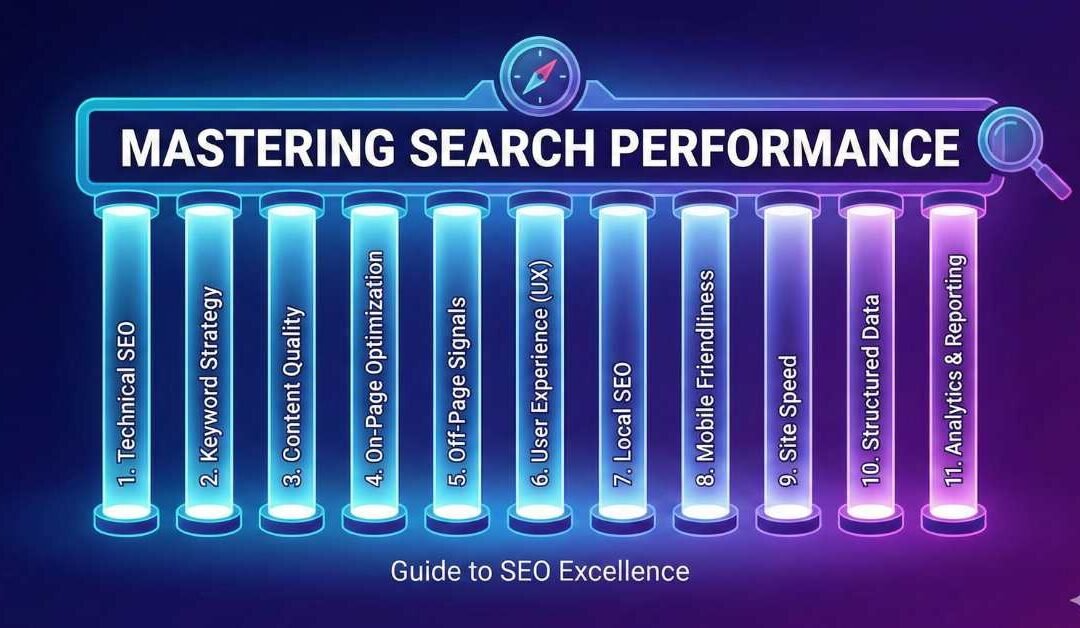
This guide provides a comprehensive framework for mastering the eleven essential pillars of modern SEO. It deconstructs each technical requirement, translating it into a clear business advantage and an actionable strategy. To serve as a quick-reference roadmap for the detailed analysis that follows, the core principles are summarized below.
| SEO Element | Guideline/Limit | Core Objective |
| Meta Title | 50-60 characters | Attract clicks in search results, signal relevance. |
| Meta Description | 150-160 characters | Summarize page value, encourage click-through. |
| H1 Tag | 1 per page | Define the main topic for users and search engines. |
| URL Slug | 3-4 words | Create a short, readable, and descriptive link. |
| Keyword Density | < 2% | Ensure natural language, avoid spam signals. |
| Image Size | < 120 KB | Improve page load speed. |
| Alt Text | 120-130 characters | Enhance accessibility and provide image context. |
| Largest Contentful Paint (LCP) | < 2.5 seconds | Ensure fast loading of main content for good UX. |
| Interaction to Next Paint (INP) | < 200 milliseconds | Ensure page is highly responsive to user interactions. |
| Mobile Page Speed | < 3 seconds | Optimize for mobile-first indexing and user retention. |
On-Page Fundamentals: The Building Blocks of Relevance
The foundational elements of a webpage are what communicate its purpose and content directly to both users and search engines. These are the building blocks upon which all other optimization efforts rest. Getting them right is the first and most critical step toward search visibility.
Crafting Your Digital Handshake: The Meta Title (50-60 Characters)
The meta title is arguably the single most influential on-page SEO factor.2 It serves as the blue, clickable headline in Google’s search results and the identifying text in a browser tab. It is a user’s very first interaction with a brand in the search environment, making it a digital handshake that must be both firm and inviting.
The recommended length of 50-60 characters is a practical constraint dictated by the space available on the Search Engine Results Page (SERP). Titles longer than this are often cut off and appended with an ellipsis (…), which can obscure important keywords or branding elements and appear unprofessional.3 To craft a title that is both technically sound and strategically effective, several best practices are essential. First, front-load the primary keyword by placing it at or near the beginning of the title. This helps search engines and users instantly recognize the page’s topic and relevance.2 Second, the title must be compelling enough to function as a miniature advertisement for the page, using action-oriented language or highlighting a unique value proposition to encourage clicks over competitors’ listings.2 Finally, every important page on a site must have a unique meta title to prevent search engines from becoming confused about which page is the most relevant for a specific query.6
The relationship between the meta title and search performance goes far beyond simple keyword matching. It initiates a powerful feedback loop: a compelling title leads to a higher click-through rate (CTR), which sends a positive user signal to Google, which in turn can lead to improved rankings. The 50-60 character limit is the technical container for this critical marketing message. When more users choose to click on a particular result, it signals to Google that the page is a superior match for that query. Therefore, optimizing the meta title is not just about on-page relevance; it is about actively influencing user behavior on the SERP to generate a positive ranking signal. The technical limit and the marketing message are two sides of the same coin, working in concert to drive performance.
The SERP Elevator Pitch: Writing Compelling Meta Descriptions (150-160 Characters)
The meta description is the short paragraph of text that appears beneath the meta title in search results. While it is not a direct ranking factor, its influence on user behavior makes it a critical component of on-page SEO.2 It functions as a SERP elevator pitch, offering a brief window of opportunity to convince a user that a page holds the answer they are looking for.
The guideline of 150-160 characters ensures the full description is displayed on most devices without being truncated.4 Google itself notes there is no strict limit, but snippets are shortened as needed to fit the device width, making this range a safe and effective best practice.7 A successful meta description should be a concise, relevant summary that entices the user to click.7 It should also incorporate keywords naturally; while this does not affect ranking directly, keywords that match the user’s query are bolded by Google, making the listing more visually prominent and increasing its CTR.8 To guide the user’s next step, the description can include a soft call to action (CTA), such as “Learn more,” “Shop now,” or “Find out how”.6 Crucially, every page must have a unique description, as duplicate descriptions across a site are unhelpful and can dilute SEO efforts.6
The primary strategic role of the meta description is to manage user expectations and pre-qualify traffic. A well-written description that accurately reflects the page’s content attracts clicks from the right audience. This is a subtle but profound distinction. It’s not about getting any click; it’s about getting the click from a user whose intent aligns with the page’s content. When the landing page delivers on the promise made in the description, the user is far more likely to remain on the page, engage with the content, and not immediately “bounce” back to the search results. Low bounce rates and high engagement are powerful signals of user satisfaction that Google’s algorithms weigh heavily. In this way, the meta description acts as a crucial filter, directly influencing the on-page user behavior metrics that are essential for long-term ranking success.
The North Star of Your Content: Mastering the H1 Tag (1 Per Page)
The H1 tag is the main headline visible on the webpage itself. It serves as the North Star for the page’s content, clearly and concisely stating the primary topic for both human readers and search engine crawlers.4 It provides a clear hierarchical structure, making the content easier to navigate and understand.
While Google has confirmed that using multiple H1 tags on a page is technically permissible, the established and recommended best practice is to use only one.5 This approach creates a logical and unambiguous structure, much like a book has only one main title. This single H1 should include the page’s target keyword, as it is one of the strongest on-page relevance signals.5 It should also be the most visually prominent heading on the page, clearly signaling its importance to the user.10
The H1 tag functions as the critical bridge between the SERP and the on-page experience. Its alignment with the meta title is essential for maintaining “information scent”—the user’s sense that they are on the right path to finding the information they seek. A user clicks a meta title like “The Ultimate Guide to Landscape Photography” because it sets a clear expectation. Upon landing on the page, the first thing they should see is a prominent H1 headline that confirms they are in the right place, such as “The Ultimate Guide to Landscape Photography”.9 If the H1 is significantly different, this information scent is broken. The user feels disoriented or misled, which dramatically increases the likelihood they will hit the back button. This simple act of bouncing sends a negative signal to Google about the page’s quality. Therefore, the “one H1 per page” rule and the need for alignment with the title tag are not just about semantic structure for bots; they are fundamental principles of user experience design that build immediate trust and directly impact the behavioral metrics that influence rankings.
Creating Clean Pathways: SEO-Friendly URL Slugs (3-4 Words)
The URL slug is the part of the web address that comes after the domain name and identifies a specific page (e.g., yourbusiness.com/seo-friendly-urls). It appears in the browser’s address bar and is often displayed in search results, making it another important signal of a page’s content.
The guideline of 3-4 words is a practical rule of thumb for achieving the two primary goals of a good slug: being short and descriptive. Research and best practices indicate that shorter URLs tend to perform better in search rankings and are more user-friendly.11 To create an optimized slug, one should include 1-2 primary keywords that accurately describe the page’s content.13 Words should be separated with hyphens (-), not underscores (_), and all letters should be lowercase to prevent technical issues like duplicate content or 404 errors.12 To keep the slug concise, it is also wise to remove “stop words”—common words like “a,” “the,” “and,” or “for”—that add length without adding meaning.11
Perhaps the most strategic aspect of URL creation is the concept of “future-proofing.” This involves avoiding dates (e.g., /seo-tips-2024) or specific numbers (e.g., /7-best-widgets) in the slug.11 Content is often updated; an article on the “7 Best Widgets in 2024” might be expanded to “10 Best Widgets in 2025.” If the date or number is in the URL, the URL itself becomes outdated. Changing the URL means that all existing backlinks pointing to the old address are lost unless a 301 redirect is perfectly implemented, a process that can sometimes result in a small loss of authority. A future-proof URL, such as
/best-widgets, can be updated indefinitely without ever changing. It becomes a stable asset that can accumulate backlinks and authority over many years. This elevates the URL slug from a minor on-page factor to a cornerstone of a sustainable, long-term SEO strategy, treating it not as a disposable label but as a permanent container for valuable link equity.
Content and Media Optimization
Moving from the structural elements of a page to the substance, this section focuses on the content itself. This includes balancing keyword usage with natural language and optimizing media files to ensure they enhance, rather than hinder, the user experience and site performance.
The Language of Relevance: Keyword Density and Topical Authority (< 2%)
Keyword density measures the frequency of a keyword’s appearance on a page relative to the total word count. The guideline of keeping this figure below 2% is a holdover from an older era of SEO, designed primarily as a safeguard against “keyword stuffing”—the practice of unnaturally repeating keywords to manipulate rankings.14 While avoiding keyword stuffing remains critical, the modern approach to relevance has evolved far beyond this simplistic percentage.
Today, search engines prioritize topical coverage and authority. Instead of focusing on keyword frequency, the goal is to create comprehensive content that covers a subject in depth. This is achieved by using a rich vocabulary of semantic keywords (related terms and concepts) and keyword variants (synonyms and long-tail versions).16 Rather than repeating a primary keyword, a page should demonstrate its expertise by discussing the topic from multiple angles. For instance, an authoritative article on “organic traffic” would naturally include related terms like “paid traffic,” “search engine crawlers,” and “user intent”.17 The placement of the primary keyword is still important, but it should be strategic—appearing in the title tag, H1, meta description, URL, and early in the body content—not repetitive.16 Above all, the language must be natural and serve the human reader first.16
This evolution from keyword density to topical authority reflects Google’s transformation from a simple text-matching service into a sophisticated knowledge engine. The <2% rule is a red herring; the true strategic imperative is to build content that establishes a page as the definitive resource on its topic. Google no longer just asks, “Does this page mention ‘digital marketing’?” It asks, “Does this page demonstrate a deep understanding of ‘digital marketing’ by also discussing SEO, PPC, content strategy, and social media?” This means businesses are no longer competing on who can repeat a keyword the most, but on who can provide the most comprehensive and satisfying answer to a user’s entire cluster of related questions. This approach builds true authority, a far more powerful and defensible SEO advantage.
Visuals that Perform: A Dual Approach to Image Optimization
Images are essential for creating engaging content, but they can also be a significant drag on performance if not handled correctly. Optimizing images involves a dual approach: managing the technical file properties to ensure speed and providing descriptive context to ensure accessibility and relevance.
Part A: Image File Size (< 120 KB)
Large image files are one of the most common causes of slow page load times. The guideline to keep image files under 120 KB is a specific, actionable target for maintaining high performance.18 Achieving this requires a few key steps. First,
compression is non-negotiable. Tools like TinyPNG, Compressor.io, or the “Save for Web” function in graphics software can dramatically reduce file size with minimal impact on visual quality.18 Second, it is crucial to
choose the right file format. Modern formats like WebP and AVIF offer superior compression and should be used when possible.20 For broader compatibility, JPEGs are best for photographs, while PNGs should be used for graphics that require a transparent background.21 Finally, images must be
resized to scale before uploading. It is inefficient to upload a 4000-pixel-wide image and then use code to display it at 800 pixels. The browser still has to download the entire large file. The image should be resized to its final display dimensions first.20
The size of an image file is a primary lever for controlling a site’s Core Web Vitals, which are direct ranking factors. Specifically, the Largest Contentful Paint (LCP) metric, which measures how quickly the main content of a page loads, is often determined by the page’s largest image (frequently a “hero” image at the top).23 A large, unoptimized image file will take longer to download, directly increasing the LCP time and pushing it beyond the “Good” threshold of 2.5 seconds.25 Therefore, the 120 KB guideline is not just a general tip for improving page speed; it is a direct, high-impact tactic for optimizing a specific, measurable, and heavily weighted ranking factor. This creates a clear cause-and-effect relationship between a simple file size number and a critical Google metric that business owners can and should act upon.
Part B: Image Alt Text (120-130 Characters)
Alternative (alt) text is an HTML attribute added to an image tag to describe its content. Its primary purpose is for accessibility; screen readers use it to describe the image to visually impaired users.20 However, it also provides essential context to search engines and is displayed on the page if an image fails to load.
The recommended length of 120-130 characters is designed to be concise yet descriptive. Most screen readers read up to about 125 characters, so staying within this limit ensures the full description is accessible to all users.27 Best practices for writing alt text are straightforward: be descriptive and specific. Instead of a generic
alt=”cake”, a more effective description would be alt=”Delicious chocolate brownies with extra glazing”.27 If it fits naturally within this description, a relevant keyword can be included, but it should never be stuffed.27 Finally, it is unnecessary to begin the text with “Image of…” or “Picture of…” because search engines and screen readers already identify the element as an image from the HTML code.26
Effective alt text optimization represents a powerful convergence of three distinct business imperatives. First, it addresses legal and ethical obligations for web accessibility.26 Second, by helping search engines understand image content, it opens up a valuable traffic channel from Google Images.28 Third, it improves the user experience for all visitors by providing context when images are broken or slow to load.20 These three functions—compliance, SEO, and user experience—are often handled by separate teams or treated as separate concerns. However, writing good alt text is a single, low-effort action that serves all three strategic goals simultaneously. This reframes alt text from a minor SEO checkbox to a highly efficient, multi-purpose business practice.
The Core of User Experience: Mastering Google’s Core Web Vitals
Google’s Core Web Vitals are a set of specific, technical metrics designed to measure the real-world experience of users on a webpage. These metrics—focusing on loading speed, interactivity, and visual stability—have been incorporated as direct ranking factors, making them essential for any serious SEO strategy.
Loading Performance: The Largest Contentful Paint (LCP < 2.5s)
Largest Contentful Paint (LCP) is a user-centric metric that measures the perceived loading speed of a page. Specifically, it marks the point in time when the largest single element—typically a hero image or a large block of text—becomes visible to the user.23 To provide what Google defines as a “Good” user experience, at least 75% of page loads must achieve an LCP of 2.5 seconds or less. An LCP over 4 seconds is considered “Poor” and can negatively impact rankings.24
Optimizing LCP involves a multi-pronged approach. The first step is to identify the LCP element using a tool like Google PageSpeed Insights.25 If it is an image, it must be compressed, served in a next-generation format, and critically, it should not be lazy-loaded, as this would delay its discovery by the browser.23 Beyond the element itself, a slow server response time (Time to First Byte, or TTFB) will delay the entire loading process; using a quality web host, a Content Delivery Network (CDN), and server-side caching is crucial for keeping TTFB below the recommended 800ms.23 Finally, any CSS or JavaScript files that are “render-blocking” must be addressed. These are resources that the browser must fully download and process before it can display any content, so deferring non-critical scripts is essential for a fast LCP.25
Ultimately, LCP is a direct measure of a user’s first impression of a site’s performance. It is a technical proxy for a user’s initial emotional response. A poor LCP score doesn’t just risk a ranking penalty; it risks losing a potential customer in the critical first few seconds, before they have even had a chance to engage with the brand or its message. A user staring at a blank or partially loaded screen is a user whose patience is wearing thin. A fast LCP delivers on the promise made by the search result, building immediate trust and encouraging the user to stay. A slow LCP breaks that trust, likely costing the business a customer forever. It is the ultimate “patience test.”
Interaction Performance: From FID to INP – The New Standard for Responsiveness
As of March 2024, Google has officially replaced First Input Delay (FID) with Interaction to Next Paint (INP) as the Core Web Vital for measuring responsiveness.29 This change represents a significant evolution in how Google assesses user experience, making it crucial for businesses to understand and optimize for the new standard.
FID was a limited metric. It only measured the delay of the very first interaction a user had with a page. It did not measure the time it took to actually process that interaction and provide a visual update, nor did it consider any subsequent interactions.32 A site could have a good FID score but still feel sluggish and unresponsive during use.
INP is a far more comprehensive and demanding metric. It measures the latency of all user interactions—clicks, taps, and key presses—that occur throughout a user’s visit. It then reports the single longest interaction time as the page’s score.34 Furthermore, it measures the entire interaction lifecycle, from the initial user input to the moment the next visual update is painted on the screen.29 To achieve a “Good” INP score, this entire process must take 200 milliseconds or less. A score above 500 milliseconds is considered “Poor”.34 Optimizing for INP primarily involves JavaScript optimization: breaking up long-running tasks into smaller chunks, minifying code, and deferring any scripts that are not essential for the initial interaction.36
The shift from FID to INP signals a profound change in Google’s philosophy. It represents a move from measuring the “first hello” (FID) to measuring the quality of the “entire conversation” (INP). This means businesses can no longer get away with a fast initial load if the page becomes janky and unresponsive once a user starts clicking filters, opening menus, or filling out forms. This change raises the bar significantly, especially for complex e-commerce sites and web applications. Performance optimization is no longer a one-time task focused on loading; it is an ongoing process of ensuring a fluid, responsive experience at every single touchpoint.
The Mobile Mandate
In today’s digital landscape, optimizing for mobile users is not optional; it is the primary directive. Most users will experience a website on a mobile device, and Google itself uses the mobile version of a site for its indexing and ranking processes. Failing on mobile means failing at SEO.
The Mobile-First Imperative: Achieving a Sub-3-Second Page Speed
With Google’s mobile-first indexing, the mobile version of a website is the definitive version for ranking purposes.38 Mobile page speed is therefore a critical ranking factor, compounded by the fact that mobile users are notoriously impatient. The widely accepted performance benchmark is a load time of under 3 seconds; if a mobile page takes longer, a significant percentage of users will abandon it before it even finishes loading.38
Achieving this speed is not the result of a single tweak but the successful implementation of many of the other guidelines discussed throughout this report, all viewed through a mobile-specific lens. It requires a responsive design that adapts seamlessly to small screens.21 It demands aggressive image compression and code minification to reduce file sizes for less powerful mobile networks and processors.19 It relies on leveraging browser caching to speed up return visits and prioritizing above-the-fold content with lazy loading to create the perception of instant speed.19 Finally, it necessitates a simplified design that avoids heavy pop-ups or complex animations that can bog down a mobile browser.40
Mobile page speed is the ultimate test of a site’s technical health and user-centricity. It is a composite metric—the sum of its parts. A slow mobile site is a symptom of deeper issues in image optimization, code efficiency, and server performance. In a mobile-dominated world, this failure has a dual, devastating effect. It directly harms rankings because of Google’s mobile-first indexing model, and it disproportionately drives away potential customers, directly impacting the bottom line. This makes mobile speed optimization the most critical battleground for modern SEO.
Conclusion: From Technical Limits to Strategic Advantage
The eleven guidelines that form the basis of modern SEO are not isolated technical tasks to be checked off a list. They are deeply interconnected components of a single, unified philosophy: to succeed in search, a business must build a fast, relevant, and trustworthy website that prioritizes the user experience above all else. The journey from a simple list of character limits and loading times to a comprehensive understanding of this philosophy reveals a clear narrative.
Optimizing a meta title for CTR, aligning it with a clear H1, and supporting it with a descriptive meta description is about managing user expectations and building immediate trust. Structuring content around topical authority rather than keyword density is about demonstrating true expertise. Compressing images and optimizing code to improve LCP and INP is not just for Google’s bots; it is a fundamental act of respecting a user’s time and patience. Every one of these actions, when executed correctly, contributes to a better experience for the end user.
Ultimately, the most profound takeaway is that optimizing for users is optimizing for Google. A site that loads quickly, responds instantly, and provides comprehensive, valuable information is a site that will naturally earn higher engagement, build brand loyalty, and drive more conversions. SEO is not a project with a finish line; it is an ongoing process of improvement. By using tools like Google PageSpeed Insights and Google Search Console to regularly monitor these core metrics, businesses can test changes, refine their strategies, and continually adapt to meet the ever-rising expectations of their customers and the search engines that serve them. This commitment to continuous improvement is what transforms technical limits into a sustainable strategic advantage.
Works cited
- www.metricmarketing.com, accessed on July 10, 2025, https://www.metricmarketing.com/blog/the-importance-of-seo-for-your-business-benefits-of-seo-why-seo-is-so-powerful/#:~:text=SEO%20drives%20traffic%2C%20promotes%20your,your%20business’s%20successful%20digital%20marketing.
- What are the best practices for optimizing meta tags for SEO? – Quora, accessed on July 10, 2025, https://www.quora.com/What-are-the-best-practices-for-optimizing-meta-tags-for-SEO-1
- www.teamlewis.com, accessed on July 10, 2025, https://www.teamlewis.com/magazine/seo-metadata-best-practices-on-page-optimization/#:~:text=A%20good%20meta%20title%20should,quickly%20understand%20the%20page’s%20content.
- What is Metadata in SEO? (+ How to Write One & Best … – team lewis, accessed on July 10, 2025, https://www.teamlewis.com/magazine/seo-metadata-best-practices-on-page-optimization/
- What Is an H1 Tag? Why It Matters & Best Practices for SEO – Semrush, accessed on July 10, 2025, https://www.semrush.com/blog/h1-tag/
- Meta Descriptions: Definition, Examples & How to Write Them (2025) – Shopify, accessed on July 10, 2025, https://www.shopify.com/blog/how-to-write-meta-descriptions
- How to Write Meta Descriptions | Google Search Central | Documentation, accessed on July 10, 2025, https://developers.google.com/search/docs/appearance/snippet
- SEO and meta descriptions: Everything you need to know in 2025, accessed on July 10, 2025, https://searchengineland.com/seo-meta-descriptions-everything-to-know-447910
- H1 Tags: What Are They, Best Practices, and Examples – Backlinko, accessed on July 10, 2025, https://backlinko.com/h1-tag
- What is an H1 Tag? Examples & SEO Best Practices – Moz, accessed on July 10, 2025, https://moz.com/learn/seo/h1-tags
- Best Practices for SEO URL Slugs – StoryChief, accessed on July 10, 2025, https://storychief.io/blog/seo-url-best-practices
- What Is a URL Slug? 9 Best Practices for SEO – Positional, accessed on July 10, 2025, https://www.positional.com/blog/slug
- What Is a URL Slug? (Why It Matters for SEO + Best Practices) – Backlinko, accessed on July 10, 2025, https://backlinko.com/hub/seo/url-slug
- Why Keyword Density Matters – Surfer SEO, accessed on July 10, 2025, https://surferseo.com/blog/why-keyword-density-matters/
- The Beginner’s Guide to Keyword Density – HubSpot Blog, accessed on July 10, 2025, https://blog.hubspot.com/marketing/keyword-density
- Keyword Density in 2025: Does It Still Matter for SEO? – BrandLume, accessed on July 10, 2025, https://brandlume.com/keyword-density-does-still-matter-seo/
- Keyword Density: What Is It & Does It Impact SEO? – Semrush, accessed on July 10, 2025, https://www.semrush.com/blog/keyword-density/
- Image size and SEO – Best Practices – Squarespace Forum, accessed on July 10, 2025, https://forum.squarespace.com/topic/228311-image-size-and-seo/
- Optimize Site Speed: 5 Advanced Techniques for Technical SEO – Digital Authority Partners, accessed on July 10, 2025, https://www.digitalauthority.me/resources/site-speed-techniques-for-technical-seo/
- Image SEO Best Practices: A Guide to Image Optimization | RDI, accessed on July 10, 2025, https://www.reddoor.biz/learn/blogs/image-seo-best-practices/
- How to Increase Mobile Page Speed (11 Optimization Tips) – NitroPack, accessed on July 10, 2025, https://nitropack.io/blog/post/increase-mobile-page-speed
- Image SEO: What Really Works in 10 Quick Tips | SEO Best Practices – Momentic, accessed on July 10, 2025, https://momenticmarketing.com/content-academy/seo-images
- Measure And Optimize Largest Contentful Paint (LCP) | DebugBear, accessed on July 10, 2025, https://www.debugbear.com/docs/metrics/largest-contentful-paint
- What Is Largest Contentful Paint (LCP) & How To Improve It – Ahrefs, accessed on July 10, 2025, https://ahrefs.com/blog/largest-contentful-paint-lcp/
- Largest Contentful Paint (LCP): What It Is & How to Improve It – Semrush, accessed on July 10, 2025, https://www.semrush.com/blog/lcp/
- Write helpful Alt Text to describe images – Harvard’s Digital Accessibility, accessed on July 10, 2025, https://accessibility.huit.harvard.edu/describe-content-images
- How to Write Alt Text for Images for SEO (3 Easy Tips) – AIOSEO, accessed on July 10, 2025, https://aioseo.com/how-to-write-alt-text-for-images-for-seo-3-easy-tips/
- Image SEO Best Practices | Google Search Central | Documentation, accessed on July 10, 2025, https://developers.google.com/search/docs/appearance/google-images
- Measure And Optimize Interaction to Next Paint (INP) – DebugBear, accessed on July 10, 2025, https://www.debugbear.com/docs/metrics/interaction-to-next-paint
- Measure And Optimize First Input Delay (FID) – DebugBear, accessed on July 10, 2025, https://www.debugbear.com/docs/metrics/first-input-delay
- Google is replacing a core web vitals metric : r/TechSEO – Reddit, accessed on July 10, 2025, https://www.reddit.com/r/TechSEO/comments/13ed0d3/google_is_replacing_a_core_web_vitals_metric/
- Interaction to Next Paint – Catchpoint, accessed on July 10, 2025, https://www.catchpoint.com/core-web-vitals/interaction-to-next-paint
- First Input Delay (FID): What It Is & How to Optimize It – NitroPack, accessed on July 10, 2025, https://nitropack.io/blog/post/fid-optimize
- Interaction to Next Paint (INP) | Articles – web.dev, accessed on July 10, 2025, https://web.dev/articles/inp
- What is Interaction to Next Paint? – Rank Math, accessed on July 10, 2025, https://rankmath.com/seo-glossary/interaction-to-next-paint/
- All about Core Web Vitals: INP (Interaction to Next Paint) – Yoast, accessed on July 10, 2025, https://yoast.com/inp-interaction-next-paint/
- Everything You Need to Know About Interaction to Next Paint (INP) – Nostra AI, accessed on July 10, 2025, https://www.nostra.ai/blogs-collection/interaction-to-next-paint-inp
- What are the best practices for optimizing page speed in on-page SEO? – Quora, accessed on July 10, 2025, https://www.quora.com/What-are-the-best-practices-for-optimizing-page-speed-in-on-page-SEO
- Mobile Page Speed Optimization: 8 Best Practices | Flowmatters, accessed on July 10, 2025, https://www.flowmatters.com/blog/mobile-page-speed-optimization-8-best-practices-for-a-flawless-customer-experience/
- The Complete Guide to Mobile SEO: 8 Tips & Best Practices – Semrush, accessed on July 10, 2025, https://www.semrush.com/blog/mobile-seo/
Leave a Reply